Attendance Management System
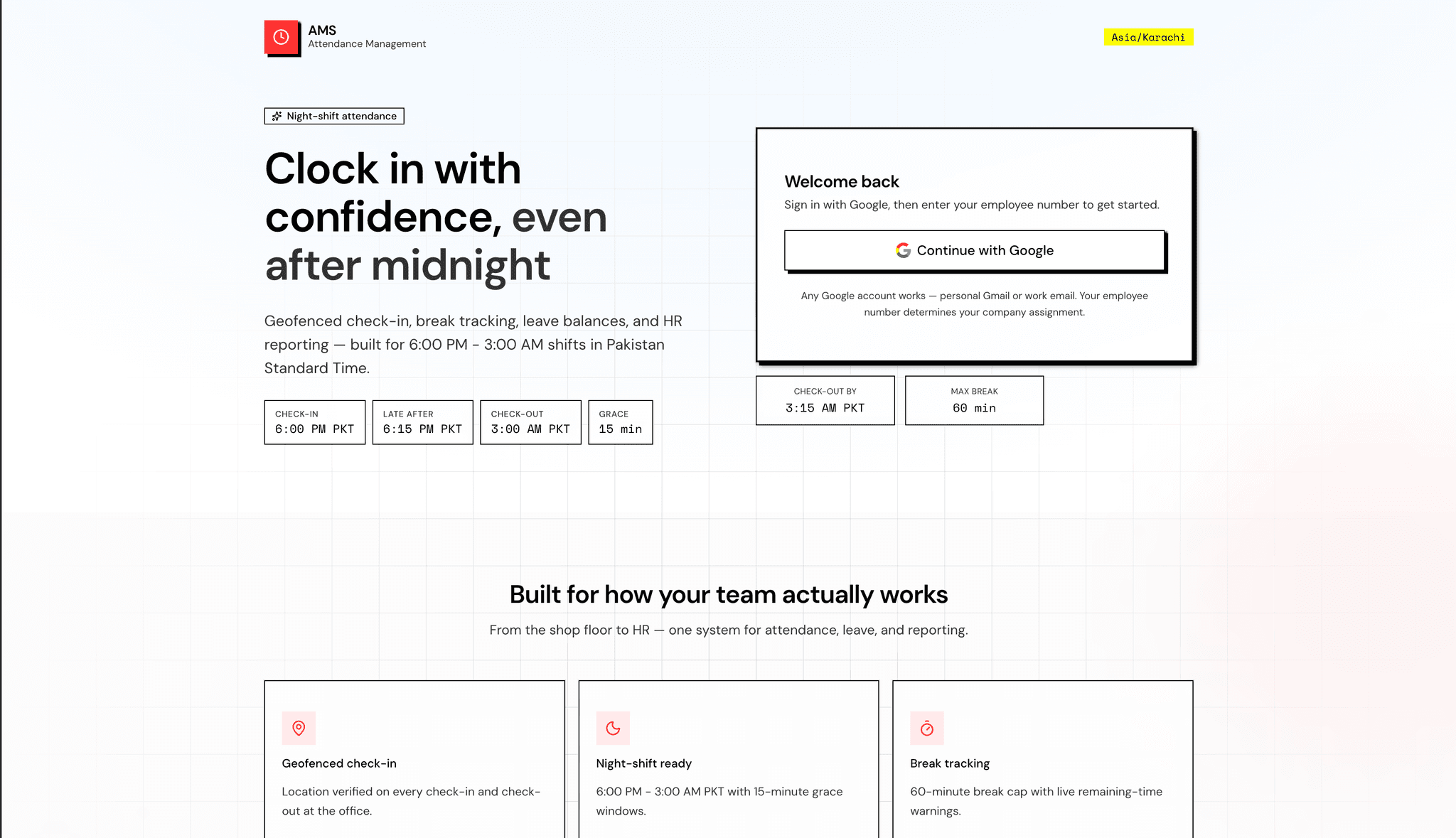
Employee attendance and leave management for night-shift teams.
Workforce Management · Founder · 1 month · Team of 1
Problem
Night-shift teams expected check-in at 18:00 and check-out at 03:00 the next morning, but attendance lived in spreadsheets, ad-hoc WhatsApp messages, and a standalone Access database tied to fingerprint scanners. Leave balances were tracked separately, casual and sick requests had no approval workflow, and end-of-month reconciliation meant cross-referencing three sources by hand. There was no single source of truth for who was present, on leave, or absent on a given shift date.
Context
The org runs on Google Workspace and needed domain-restricted sign-in only — no separate passwords. Most employees work a night shift (18:00–03:00 PKT); a second company under the same deployment uses a standard day shift (09:00–17:00). Office check-in requires browser geolocation; the building also has Ebio AttendanceTracker 11.8 biometric devices on Windows, storing punches in a password-protected Microsoft Access .mdb file. HR needed probation gates, Excel exports for payroll, and rules that respect PKT shift boundaries — including the fact that a shift starting Monday evening ends Tuesday morning.
Strategy
I scoped AMS around four layers:
- Identity and onboarding — Google Workspace SSO with hosted-domain validation, employee codes for linking accounts, and a bootstrap path for the first admin.
- Mobile-first attendance — Geofenced check-in/out, break tracking with a hard cap, late and early-leave detection, and weekend handling when the office is closed.
- Leave as a first-class domain — Entitlements per calendar year, working-day math for annual leave, admin approval for casual/sick, and automatic sync of approved leave into attendance rows.
- Biometric bridge — An unattended Windows service that incrementally syncs Access DB punches to Neon, matches employees by card number or fuzzy name, and derives system-sourced attendance without clobbering mobile or manual records.
Admin correction stayed explicit: every edit carries audit fields, and the sync pipeline never overwrites auto or manual rows.
Architecture
Web application — Next.js 16 App Router with React 19, Drizzle ORM on Neon Postgres, and Auth.js v5 (Google provider). Route protection lives in a Next.js 16 proxy guard; attendance and leave business logic sit in src/lib/attendance/ and src/lib/leave/. Server startup validates required auth and geofence environment via instrumentation.
Data model — Multi-company support (companies, employees with optional machine_card_no), shift-level attendance_days with geocoordinates and break sessions, leave requests with review workflow, and mirror tables for biometric sync (machine_punches, biometric_employee_mappings). Per-company shift rules (night vs day) are centralized in company-shift.ts and mirrored in the Python sync agent.
Automation — Vercel Cron invokes GET /api/cron/mark-absent daily (~04:00 PKT). The job marks absent for active employees with no check-in on the completed shift date, writes weekend_off for closed days, and runs a missed-checkout pass. Bearer token auth via CRON_SECRET.
Biometric sync agent — Python package under scripts/ebio_sync/ installed as a Windows service (AMSBioSync). ODBC reads Tran_MachineRawPunch from Access; incremental upserts use source_punch_id as an idempotency key. Each deploy bundles scripts/ into a zip served from /api/sync-agent/bundle; the service auto-updates on a six-hour check interval.
Execution
Employee experience
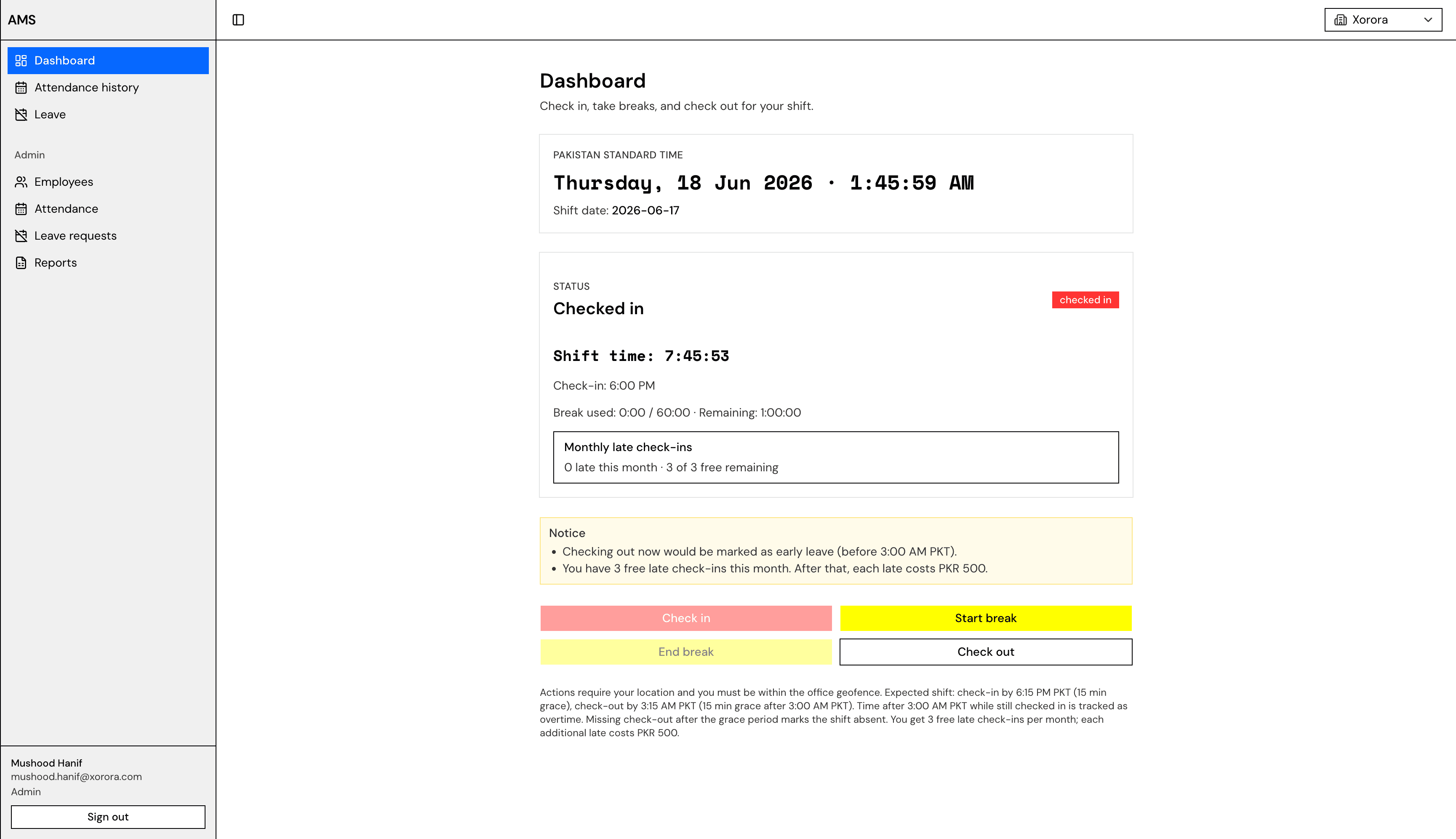
- Dashboard with live PKT clock, current shift date, and work state (checked in, on break, checked out)
- Geofenced check-in/out — requests outside the office radius return 403
- Break start/end with a 60-minute cap per shift and remaining-time warnings
- Early checkout confirmation when leaving before 03:00 PKT
- Weekend blocking — Saturday and Sunday treated as office-closed days
Leave management
- Three types: annual (14 days, working days only, auto-approved), casual (10 days, admin approval), sick (8 days, admin approval, medical certificate note)
- Balance tracking: entitled, used, pending, and remaining per type
- Overlap and balance validation; probation gate blocks leave until the period ends
- Approved leave creates or updates attendance rows with status
leave - PDF export of leave balances via PDFKit
Admin tooling
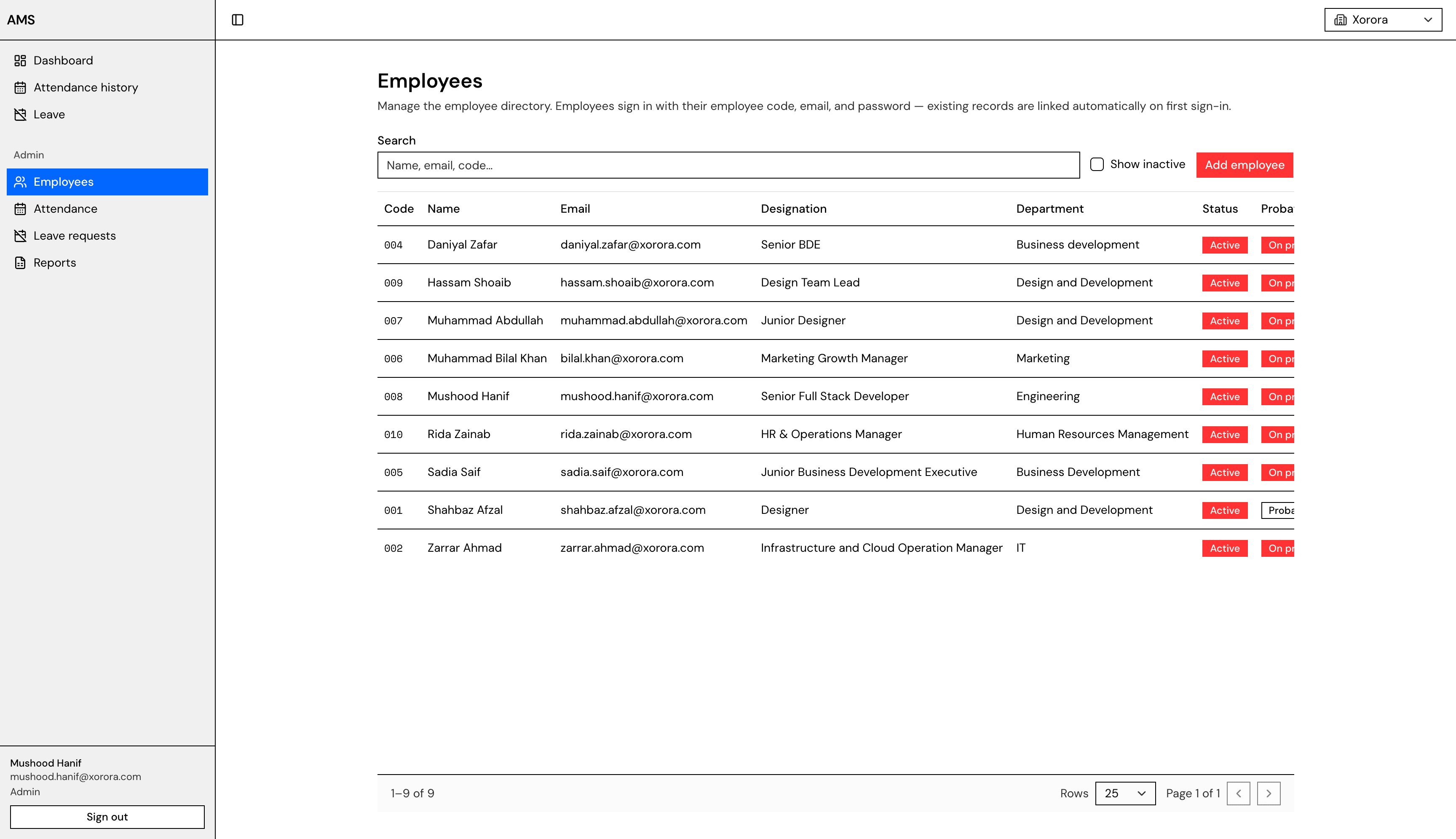
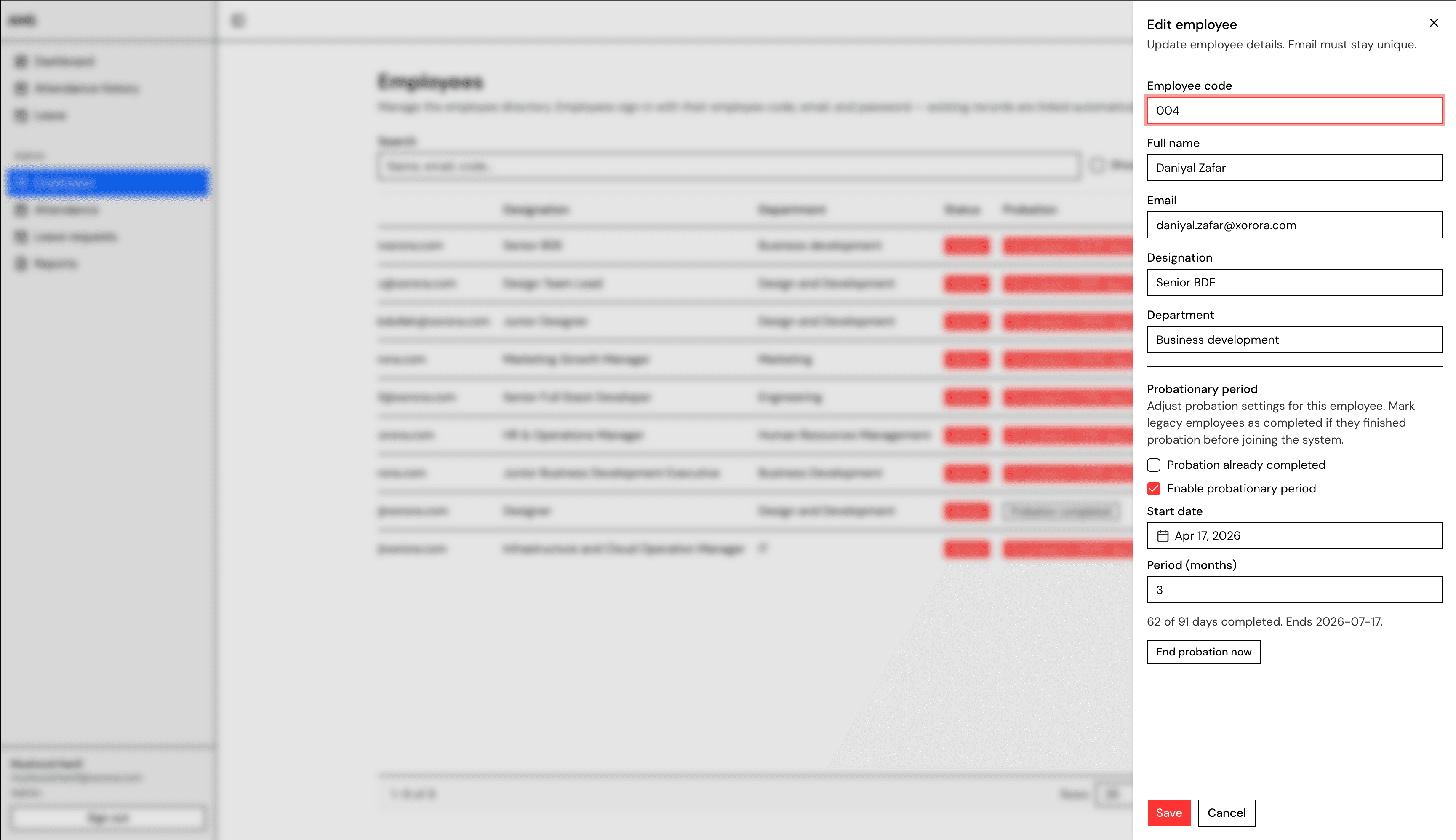
- Employee CRUD with codes, departments, designation, and probation (1–24 months, default 3)
- Attendance list with filter, create, edit, delete, and bulk status changes
- Leave request review with approve/reject and optional notes
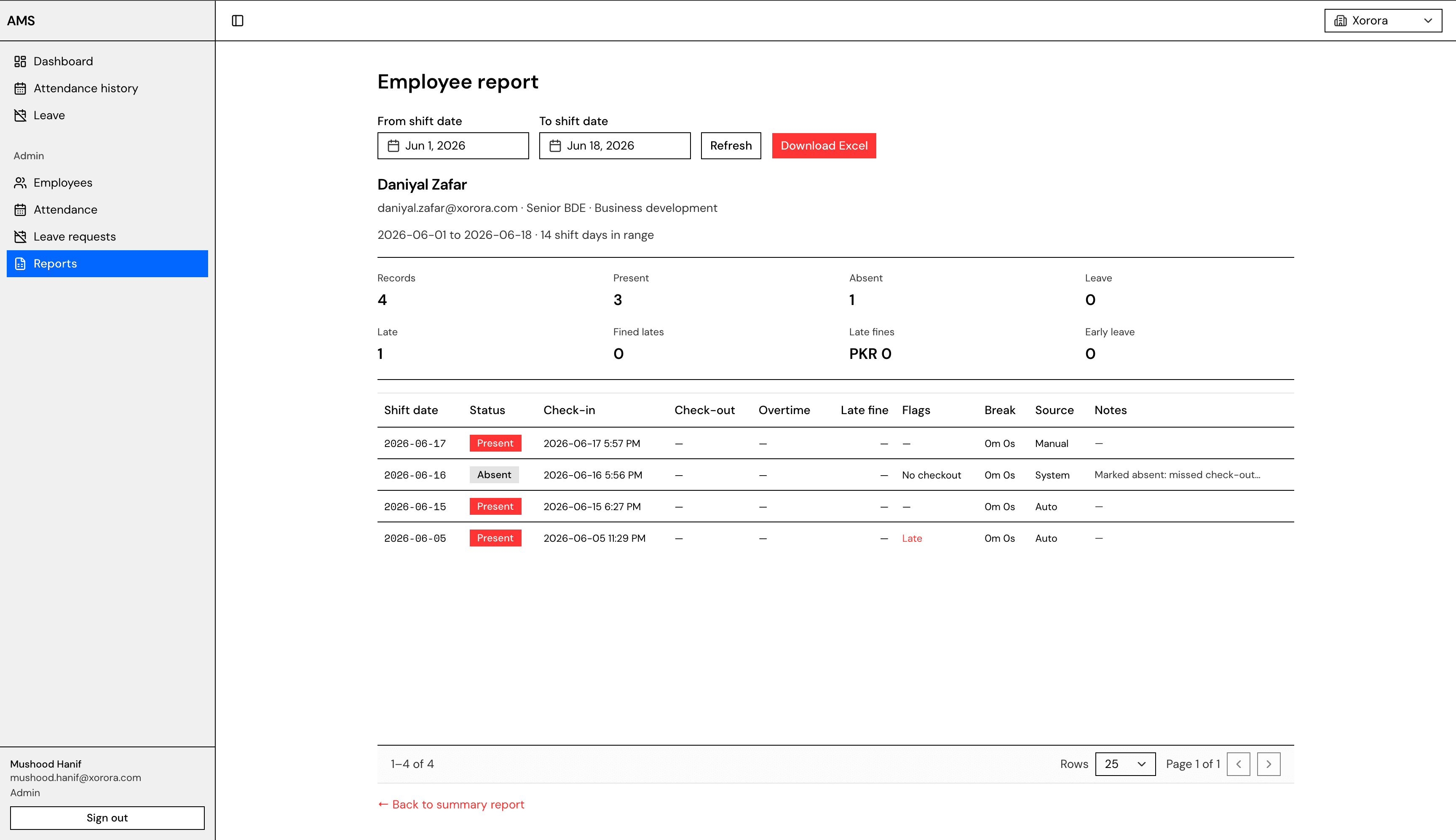
- Date-range summary reports and per-employee drill-down
- Excel export (
.xlsx) for summary and individual workbooks via ExcelJS - Deactivation safety — prompt to close an open shift before deactivating a checked-in employee
Biometric pipeline
- Employee matching priority: card number → persisted mapping → exact normalized name → fuzzy name (rapidfuzz, configurable threshold) → auto-create under configured company slug
- Incremental punch sync with safe reruns (
ON CONFLICT DO NOTHING) - Attendance derivation: first punch = check-in, last punch = check-out; per-company shift rules for xorora (night) and crest-led (day)
- 15-minute default sync interval; structured logging to
%ProgramData%\AMSBioSync\logs\
UI
- Dark mode via next-themes (system / light / dark)
- Responsive shell with collapsible sidebar navigation
Challenges
PKT shift boundaries — A night shift spans two calendar dates. Shift date assignment uses a noon boundary: punches before 12:00 PKT belong to the previous day's shift. Check-out at 03:00 the next morning must not flip the employee into the wrong attendance day.
Weekend and cron timing — Auto-absent must run after the shift completes (~04:00 PKT) and skip weekends, existing leave, and present records. Day-shift and night-shift companies need different "completed shift date" logic.
Geofence accuracy — Browser GPS varies indoors. The system seeds office coordinates from environment variables into office_settings and rejects out-of-radius requests rather than silently accepting bad data.
Biometric name and card matching — Access DB employee names do not always match HR records. The sync agent persists match methods (card, mapping, exact_name, fuzzy_name, created) and scores so mismatches can be audited and corrected.
Unattended Windows service reliability — The Access file may live under a user Desktop; Local System cannot always read it. Auto-update must verify bundle checksums, swap the installed app atomically, and restart without manual intervention.
Dual attendance sources — Mobile geofenced check-ins (source: auto), admin corrections (manual), and biometric derivation (system) must coexist. System rows update when later syncs see more punches, but manual and mobile rows are never overwritten.
Solution
A shared rule engine in src/lib/attendance/ encodes shift dates, late thresholds (after 18:30 PKT check-in), early leave (before 03:00 PKT check-out), break limits, and per-company schedules. Leave approval flows through server actions and syncs approved days into attendance_days. The cron job handles absent marking and missed-checkout detection in one pass.
The Ebio sync agent mirrors those TypeScript constants in Python (attendance.py) so biometric-derived rows match mobile logic. Incremental punch watermarks on MAX(source_punch_id) keep sync passes fast; biometric_employee_mappings stores durable links so fuzzy matching runs once. Deploy-time bundling (package-bundle.mjs) ships the sync code to Windows machines without a separate release channel.
Measurable impact
- Replace manual attendance sheets — Single app for check-in, leave, and admin review instead of spreadsheets plus Access exports.
- Reduce admin reconciliation time — Auto-absent cron and Excel report export aim to cut end-of-month cross-checking from hours to minutes.
- Single source of truth for leave balances — Entitlements, pending requests, and attendance
leavestatus stay in one database. - Biometric parity without duplicate entry — Fingerprint punches flow into Neon automatically; HR no longer re-keys scanner data.
- Audit-ready corrections — Manual edits record
editedByUserId; sync rows carrymatch_methodand raw punch timestamps for dispute resolution.
Tech & infrastructure
Tech Stack
Infrastructure
Integrations
Gallery