Mockuper
Replace placeholder products in lifestyle photos with your real SKU.
E-commerce · Founder · 1 month · Team of 1
Problem
E-commerce and brand teams often buy or license lifestyle mockup photos — a bag on a table, a bottle in someone's hand — that show a generic or competitor product. Swapping in the real SKU traditionally means hours in Photoshop: masking, perspective warping, relighting, and shadow matching for every variant. Reshooting the scene for each product line is expensive and slow. Generic AI image tools can paste a product onto a background, but the result often looks flat — cutout overlays, wrong scale, or the original product still visible. Teams need in-scene replacement that preserves composition, hands, props, and lighting from the original mockup.
Context
The target user is a solo founder, marketer, or small e-commerce team with product photography and stock or licensed lifestyle scenes — not a full studio retouching pipeline. The workflow mirrors what Google exposes on gemini.google.com: analyze both images to produce a detailed edit instruction, then pass that instruction to Gemini's image models. Mockuper keeps the API key server-side, surfaces the generated Bria instruction for transparency, and supports Vercel deployment where function payload limits cap uploads at 2 MB per image. There is no authentication layer; the product is scoped as an internal or gated tool rather than a public SaaS.
Strategy
- Two-step Gemini pipeline —
gemini-2.5-flashgenerates a JSON Bria instruction from both images (identify replace target, describe product in exhaustive detail, forbid cutout overlays);gemini-3.1-flash-imagerenders the final mockup with primary/fallback model retry. - Dual workflows — Mockup swap replaces a product inside a lifestyle scene; Product edit applies localized changes to a single product photo with text instructions, up to five reference images, and marker or lasso annotations.
- Upload resilience — Client-side canvas compression before upload, server-side Sharp recompression in multipart parsing, and environment-aware limits (20 MB self-hosted, 2 MB on Vercel) exposed via cached
GET /api/limits. - Usage observability — Optional Neon logging via Prisma: ImgBB URLs for inputs/outputs, Bria instruction text, duration, errors, and one-shot feedback per run.
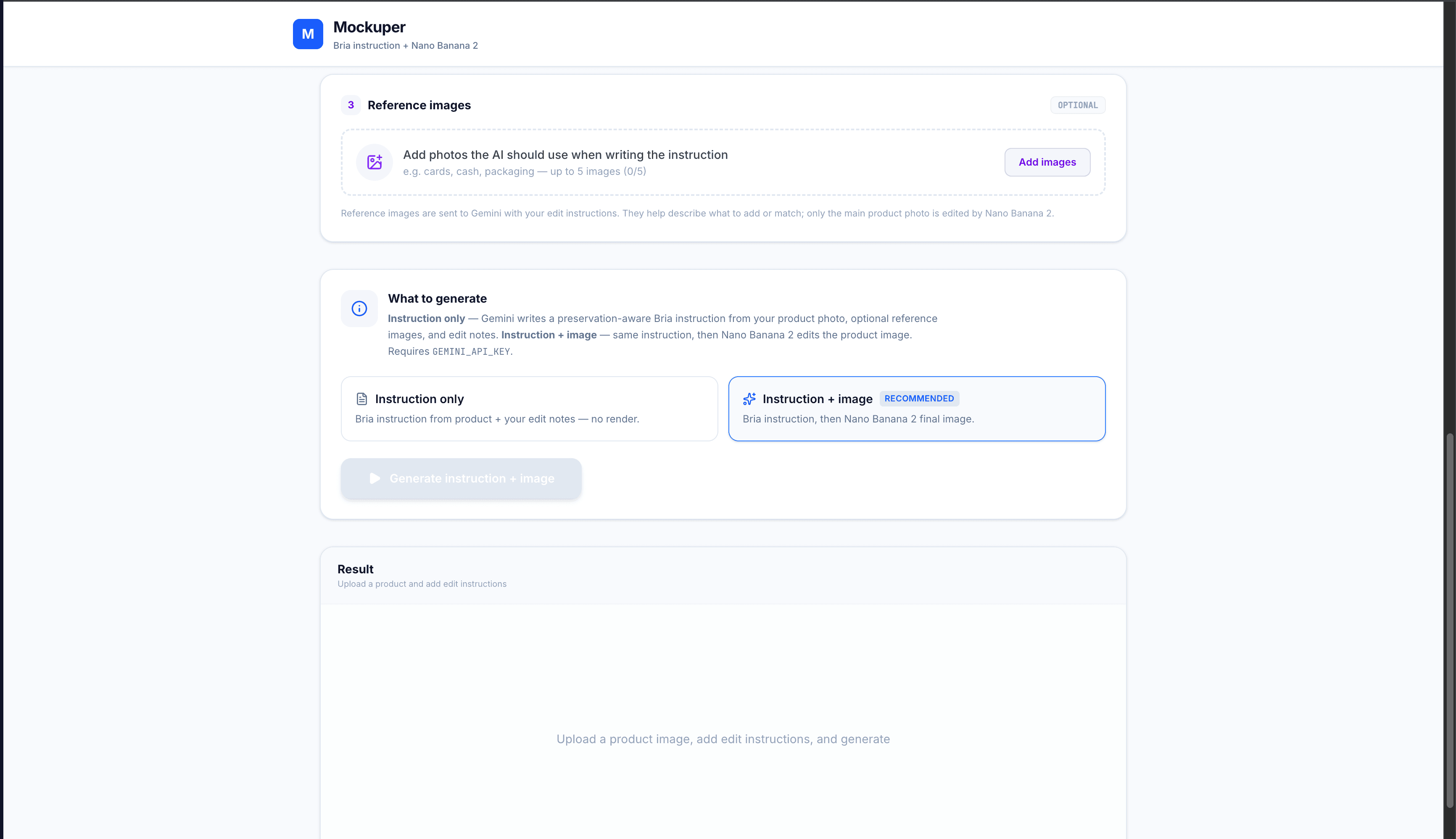
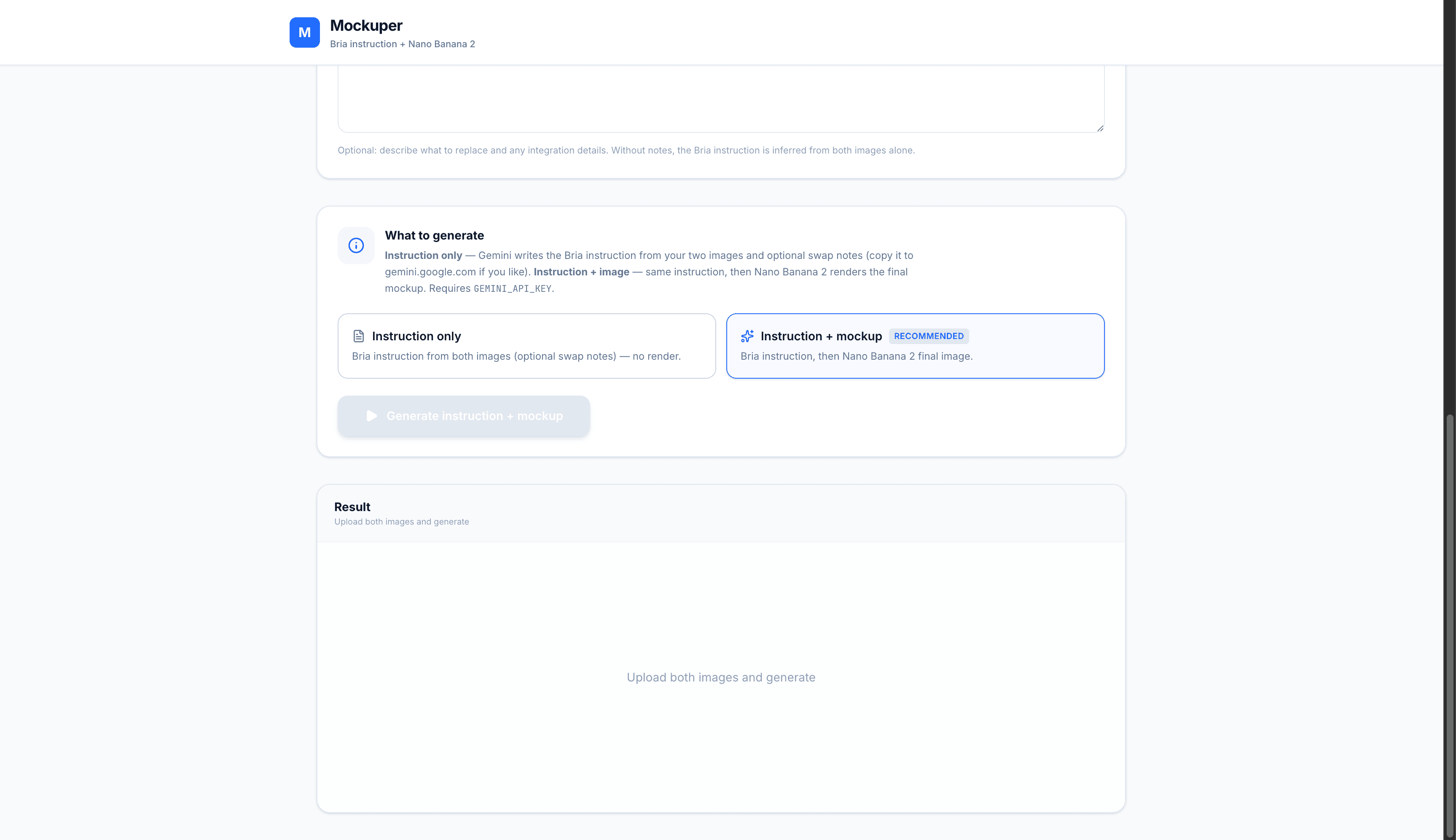
Generation modes include full (instruction + image) and instruction_only (debug or preview the prompt without spending image-model credits).
Architecture
Web application — Next.js 16 App Router with React 19. The home page is a Server Component that passes cached upload limits to MockuperWorkspace; all generation UI is client-side with drag-and-drop uploads, workflow tabs, and a live elapsed timer during long-running requests.
API routes — Thin route handlers delegate to shared logic in lib/:
| Route | Handler | Role |
|---|---|---|
POST /api/process/mockup | handleMockupRequest | Product + mockup multipart → two-step pipeline |
POST /api/process/product-edit | handleProductEditRequest | Product + references + annotations → edit pipeline |
GET /api/limits | — | Upload byte budgets for current host |
POST /api/usage/:id/feedback | — | Thumbs-up/down + optional comment |
maxDuration = 60 on process routes (increase to 300 on Vercel Pro for 1–3 minute runs).
Pipeline (lib/mockup.ts) — buildBriaInstruction / buildBriaInstructionForEdit call Gemini Flash with multimodal inline image data and strict JSON output. runNanoBanana / runNanoBananaForEdit iterate gemini-3.1-flash-image then gemini-2.5-flash-image with responseModalities: ["IMAGE"], extracting base64 inline data from the response.
Data model — Prisma UsageEvent on Neon Postgres: workflow, mode, status, user and Bria instructions, ImgBB URLs, reference URL array, duration, error message, and feedback fields. Logging is best-effort — missing DATABASE_URL or IMGBB_API_KEY returns usageId: null without failing generation.
Execution
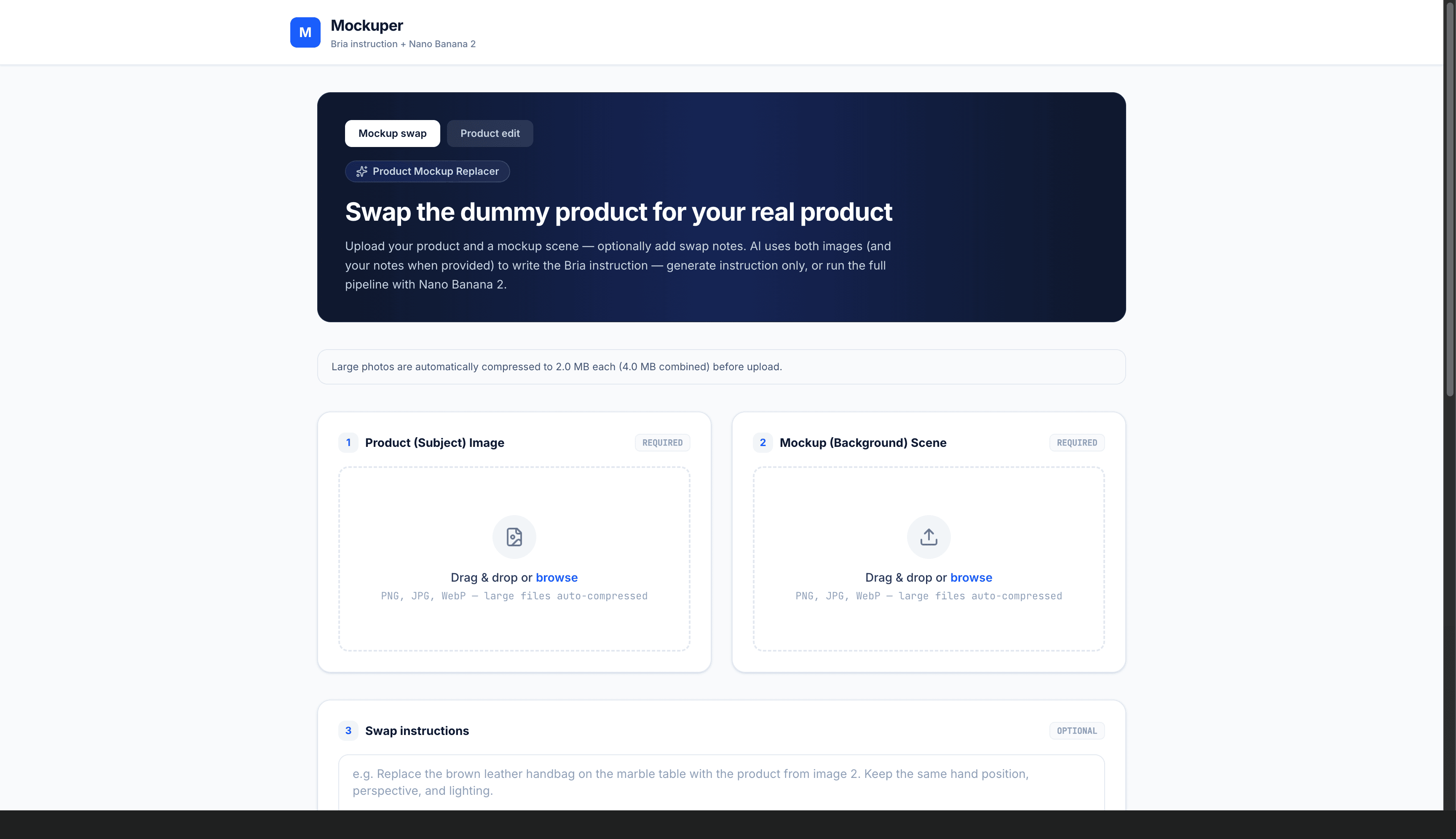
Mockup swap workflow
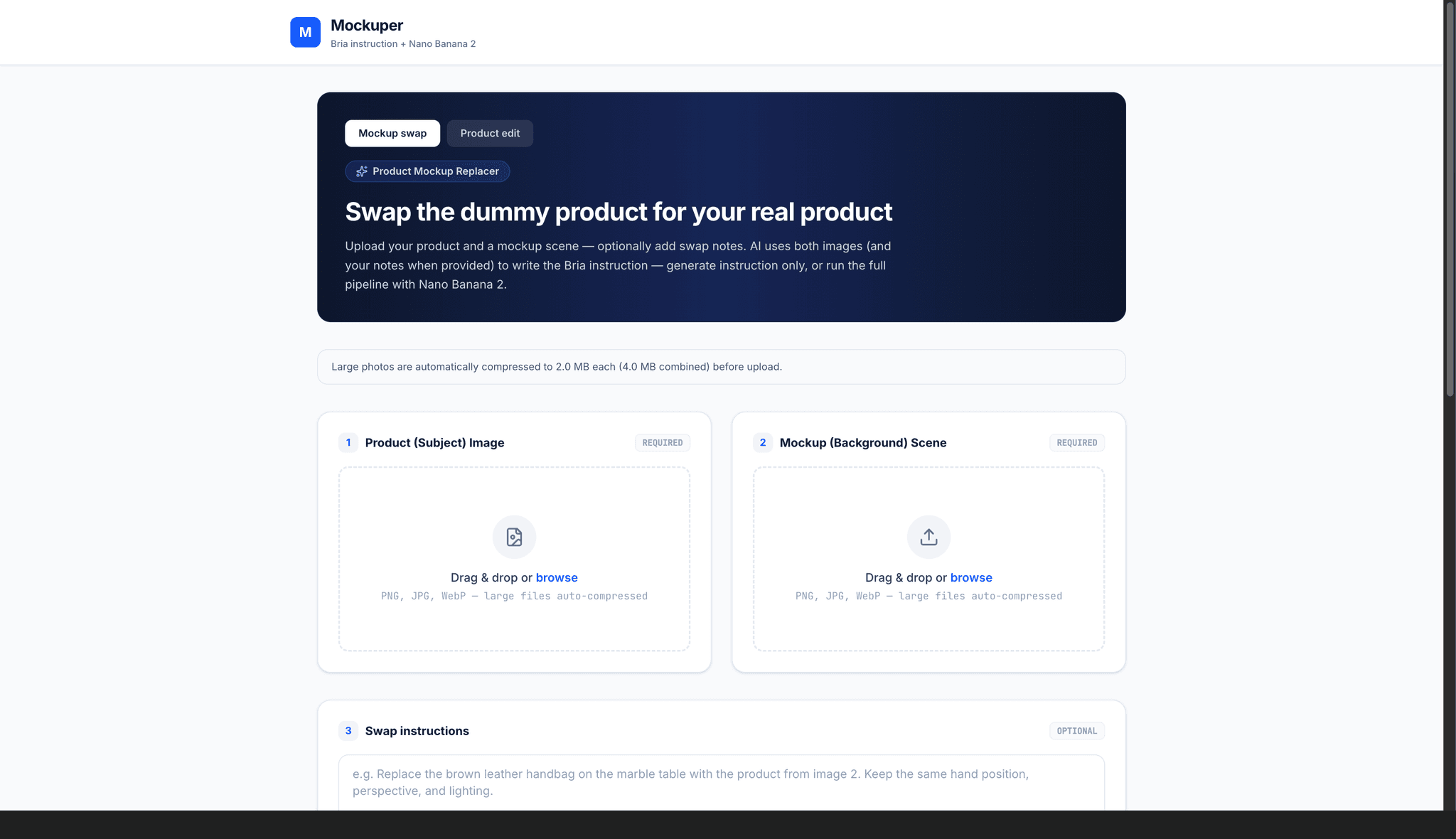
- Drag-and-drop or file picker for product and mockup images (PNG, JPG, WebP)
- Optional free-text swap notes (e.g. which object to replace, hand interaction hints)
- Generate full mockup or instruction-only preview
- Result panel: side-by-side comparison with inputs, expandable modal, download, and Bria instruction display
- Live elapsed timer during the 1–3 minute generation window
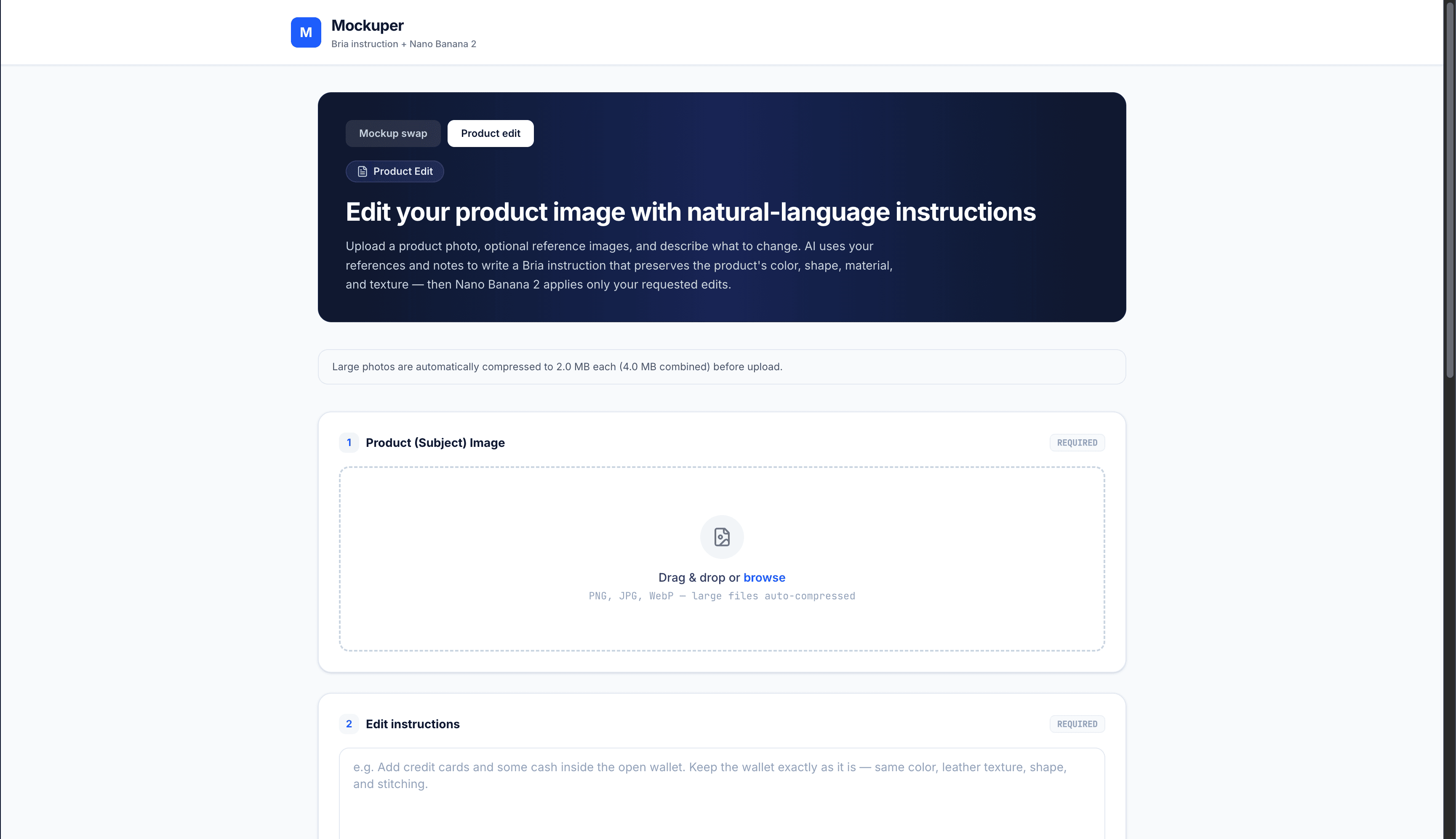
Product edit workflow
- Single product upload with text edit instructions
- Up to five reference photos to inform additive edits (items inside packaging, color matching)
- Image annotation editor: pin markers at normalized coordinates or free-draw lasso regions with per-annotation notes
- Same two-step pipeline scoped to one product image plus optional references
Upload and compression
- Limits loaded from server on page load (
getUploadLimitsCachedwith Cache Components) - Client compresses large files before multipart POST; server runs Sharp JPEG resize/quality loop if still over budget
- Paired mockup/product uploads rebalance byte budgets so combined payload stays under Vercel's ~4 MB effective cap
Usage logging and feedback
- Each run records workflow, mode, timing, prompts, and ImgBB URLs when env vars are set
POST /api/usage/:id/feedbackaccepts positive/negative sentiment and optional comment (max 2000 chars); one submission per run (409 on duplicate)
Challenges
In-scene integration vs cutout paste — Image models default to flat overlays. The Bria instruction prompt explicitly forbids background removal, cutout stickers, and leaving the original product visible; it requires perspective, scale, lighting, shadows, and hand interaction from the mockup scene.
Sequential latency — Two Gemini calls run back-to-back with no streaming or partial results. The UI must communicate progress via elapsed time and loading state; Vercel function timeouts require maxDuration tuning on Pro plans.
Vercel payload limits — Serverless rejects bodies over 4.5 MB. Self-hosted defaults allow 20 MB per file, but Vercel deployments need 2 MB caps, client-side compression, and paired-upload budget splitting — all surfaced dynamically in the UI.
Model availability — gemini-3.1-flash-image may be unavailable in some regions or accounts. The pipeline tries primary then fallback model and surfaces the last error if both fail.
Product edit fidelity — Additive edits (fill an empty wallet with cards and cash) must not recolor or reshape the product. The edit-specific Bria prompt locks intrinsic product attributes unless the user explicitly requests a change.
Annotation coordinate mapping — Marker and lasso points are stored as normalized percentages and formatted into the Bria prompt so the model knows which region each note applies to.
No persistence of results in-app — Generated images return as base64 data URLs; refreshing clears the UI unless the user downloads. Usage logging stores ImgBB URLs for audit but does not expose a gallery in the app.
Solution
A shared processMockup / processProductEdit module centralizes Gemini SDK calls, model fallback, and JSON instruction parsing. Route handlers stay thin: parse multipart, validate required fields, call pipeline, record usage, return JSON. Sharp compression in parse-multipart.ts ensures server-side images meet byte budgets even if client compression was skipped.
Workflow-specific Bria prompts encode non-negotiable rules (no cutouts for mockup swap; lock product attributes for edits) so the image model receives edit-ready instructions rather than vague "replace this" text. The annotation formatter injects localized edit requests with coordinate context for product edits.
Upload limits are computed once per deployment environment and cached on the server page so the client always shows accurate MB caps and auto-compression notices. ImgBB offloads binary storage from Postgres — only URLs and metadata land in usage_events, keeping the database small and queryable for feedback review.
Measurable impact
- Replace manual Photoshop compositing — Marketers upload two images instead of masking, warping, and relighting each lifestyle mockup by hand.
- Cut mockup turnaround from hours to minutes — The two-step pipeline typically completes in 1–3 minutes per variant versus multi-hour retouching sessions.
- Transparent AI prompts — The generated Bria instruction is returned with every run so teams can debug failures or reuse prompt patterns.
- Two workflows in one tool — Scene-level SKU swap and in-product edits (with references and annotations) share the same pipeline and logging infrastructure.
- Deployment-aware uploads — Dynamic limits and automatic compression let the same codebase run self-hosted at 20 MB or on Vercel at 2 MB without separate builds.
Tech & infrastructure
Tech Stack
Infrastructure
Integrations
Gallery